Séimhiú after an
- Before
- an bean
- After
- an bhean
The article an lenites a feminine singular noun such as bean. It does not lenite d, t, or s.

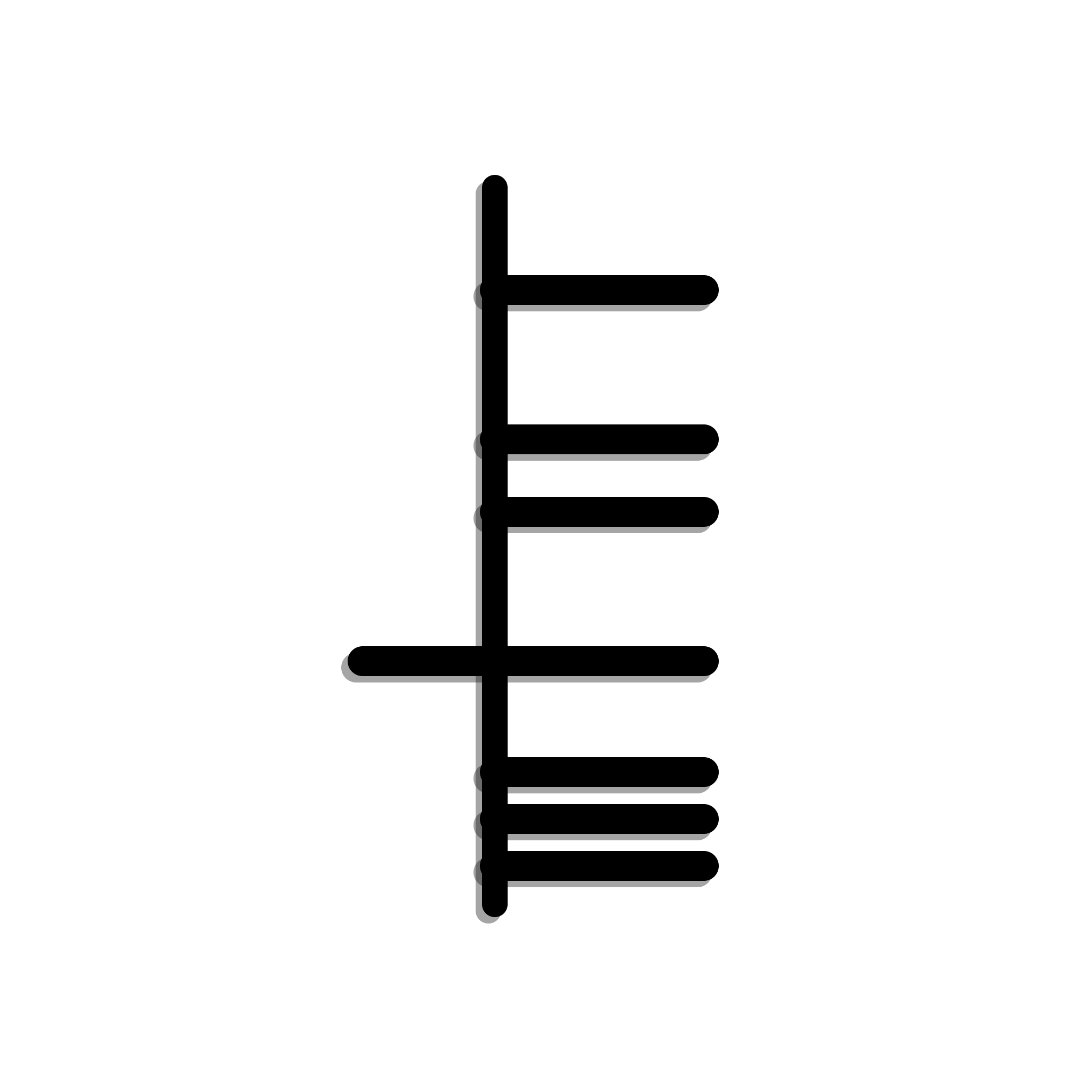
Irish
Paste a sentence into the free checker, or install the browser extension and keep writing in Chrome, Firefox, or Safari on Mac.
The editor on this page runs the website's mutation checker in your browser. The extension checks a wider set of spelling and grammar patterns. Typing alone does not send your text anywhere.
Live, local rules
Edit the text, inspect a suggestion and accept or dismiss it. This demo covers Irish and Welsh mutations, not every check in the extension.
Example: Feicim mo cat. — edit it or write your own.
Loading local rules…
Your text stays in this browser. The demo downloads language data and uses the website's local mutation checker; the extension has a separate, broader checking pipeline.
These are standard mutations the Irish rules are written for. The editor offers a repair only when this page's checker finds a missing mutation in your text. No suggestion does not mean the sentence is correct.
The article an lenites a feminine singular noun such as bean. It does not lenite d, t, or s.
Standard Irish eclipses the noun after the numerals 7 to 10, as in ocht gcat. Some regional writing leaves the noun bare. Dialect settings live in the extension, not in the paste checker.
A masculine singular noun that starts with a vowel takes t- after an. That is a different rule from séimhiú.
What it checks
The paste checker annotates selected mutations, verb forms, noun forms, and prepositional pronouns. The browser extension adds spelling, agreement, and writing mechanics. Neither one is a complete grammar of Irish.
Mutations
Selected séimhiú, urú, and t-prefix patterns, including lenition after mo and after a feminine an. The extension can also flag a mutation that is there when the trigger does not call for it.
Agreement and forms
In the extension, selected genitive, noun and adjective agreement, and verb-agreement patterns. The paste checker can label verb forms, noun forms, and prepositional pronouns it recognises. It does not grade the whole sentence.
Spelling
The extension can restore a missing Irish accent, apostrophe, or hyphen, and it can offer one conservative suggestion when a single known form is a small edit away. It misses typos that have more than one plausible repair.
Béarlachas
The extension has a bounded list of Irish phrases that mirror English, plus some English loanwords that have an Irish equivalent in its vocabulary. It is not a style rewrite.
Copula and tá
The extension flags common learner mixes of the copula and tá when the pattern is clear. The paste checker on this website does not run that rule.
Punctuation and style
The extension flags capitals, spacing, repeated punctuation, doubled words, and a few long or wordy sentences. Those are suggestions. The paste checker does not check them.
The extension accepts standard Irish plus selected validated Ulster, Connacht, and Munster forms. Dialect and strictness controls change how conservative it is. It does not accept every regional spelling. The paste checker uses the course tables and does not apply those dialect settings.
Inline checking and the paste checker are different tools. The learning apps are a third thing again.
Open the Irish checker and paste a sentence. It runs in the browser and annotates supported patterns. It does not underline as you type, and it does not check spelling.
The browser extension is the Irish spell checker for Chrome. The same build runs in Firefox and in Safari on Mac. The iPad version is still being verified and is not released. Passive checks stay on the device.
The iPhone, Android, and web courses teach Irish. They are not the inline spell checker. The Mac app is dictation, not a system-wide grammar checker. On a Mac, use Safari, Chrome, or Firefox.
Want the course as well as the checker?


People comparing Irish checkers usually meet those three. Blas has not published a measured accuracy comparison against any of them, and this page does not claim to cover the rules they cover.
GaelGram is an online Irish grammar checker. Blas is a separate product: a browser extension for Chrome, Firefox, and Safari on Mac, plus a free paste checker on this site. Keep GaelGram if that is the workflow you already trust.
An Gramadóir is the long-standing open-source Irish grammar checker. Blas is not a rebrand of that project and it does not replace it. If a site or editor you use already runs Gramadóir, keep it.
TextGens offers an online Irish grammar checker among other languages. Blas is built around Celtic mutations and keeps passive checking on your device. We have not tested the two against each other, so this is a difference of product shape, not a ranking.
Yes. Install the Blas extension, choose Irish, and it underlines likely spelling, mutation, and grammar issues in Chrome text fields. It also runs in Firefox and in Safari on Mac. You can paste Irish into the free checker on this site without installing anything.
No. It annotates selected mutations, verb forms, noun forms, and prepositional pronouns. A sentence with no annotation can still be wrong. Spelling, the copula, and punctuation are extension checks, and those are a bounded set too.
The extension accepts standard Irish and selected validated Ulster, Connacht, and Munster forms. You can change dialect and strictness. It will still miss forms it has not validated. The paste checker does not use those dialect settings.
Yes, in Safari, Chrome, or Firefox on a Mac. The separate Mac app is for dictation. It does not check Irish grammar across other applications.
They are separate Irish checkers. Blas does not publish an accuracy score against them. GaelGram and TextGens are online checkers. An Gramadóir is an open-source grammar checker used by other projects. Blas adds checking inside Chrome, Firefox, and Safari on Mac, and a free paste checker here.
No. It is a writing assistant. For anything you publish, check teanglann.ie or a published grammar.
Paste Irish into the free checker, or add the extension and choose Irish.